We've rebuilt Diaflow Tables from the ground up, turning it into the spreadsheet-class data workspace your workflows deserve. From infinite scrolling to smarter field types, here's everything that's new.
Tables has always been one of the most-used modules in Diaflow, and we've heard your feedback loud and clear: more screen real estate, less friction, and more power when handling large datasets. Today's update delivers all of that, and then some.
A more intuitive interface
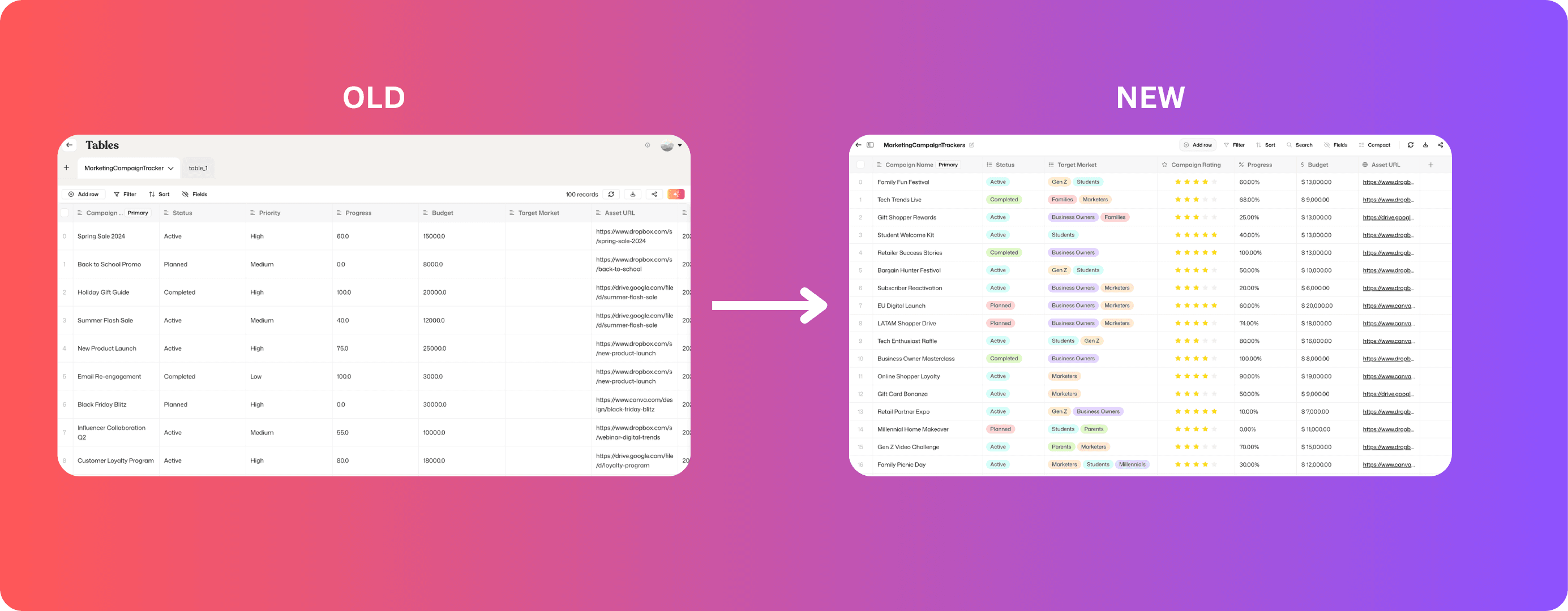
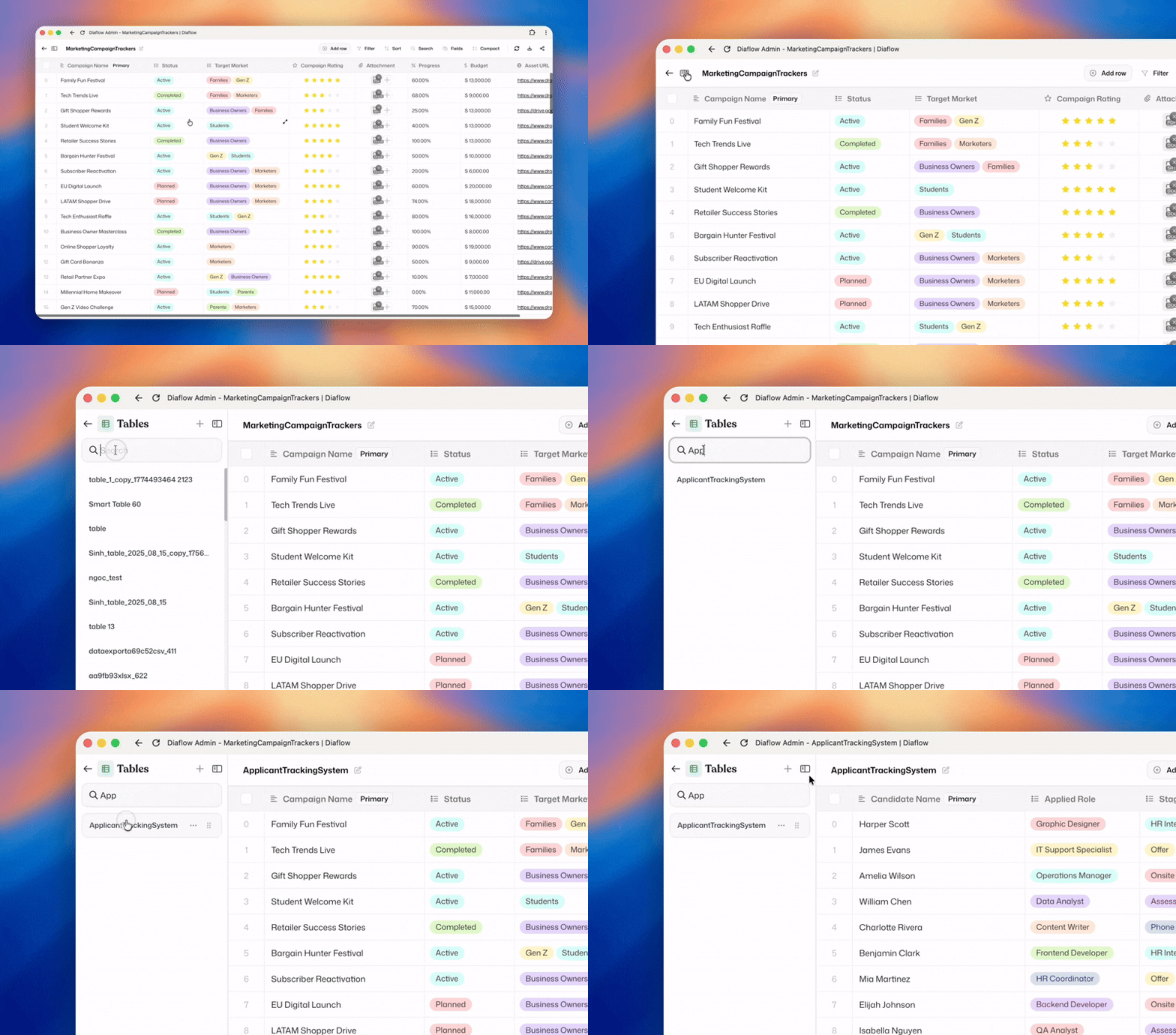
The first thing you'll notice is more breathing room. We've redesigned the table layout to display significantly more data within the same screen space, reducing visual noise and letting you focus on what matters: your data. Whether you're skimming hundreds of records or editing a single cell, the new UI stays out of your way.
Infinite scrolling, finally
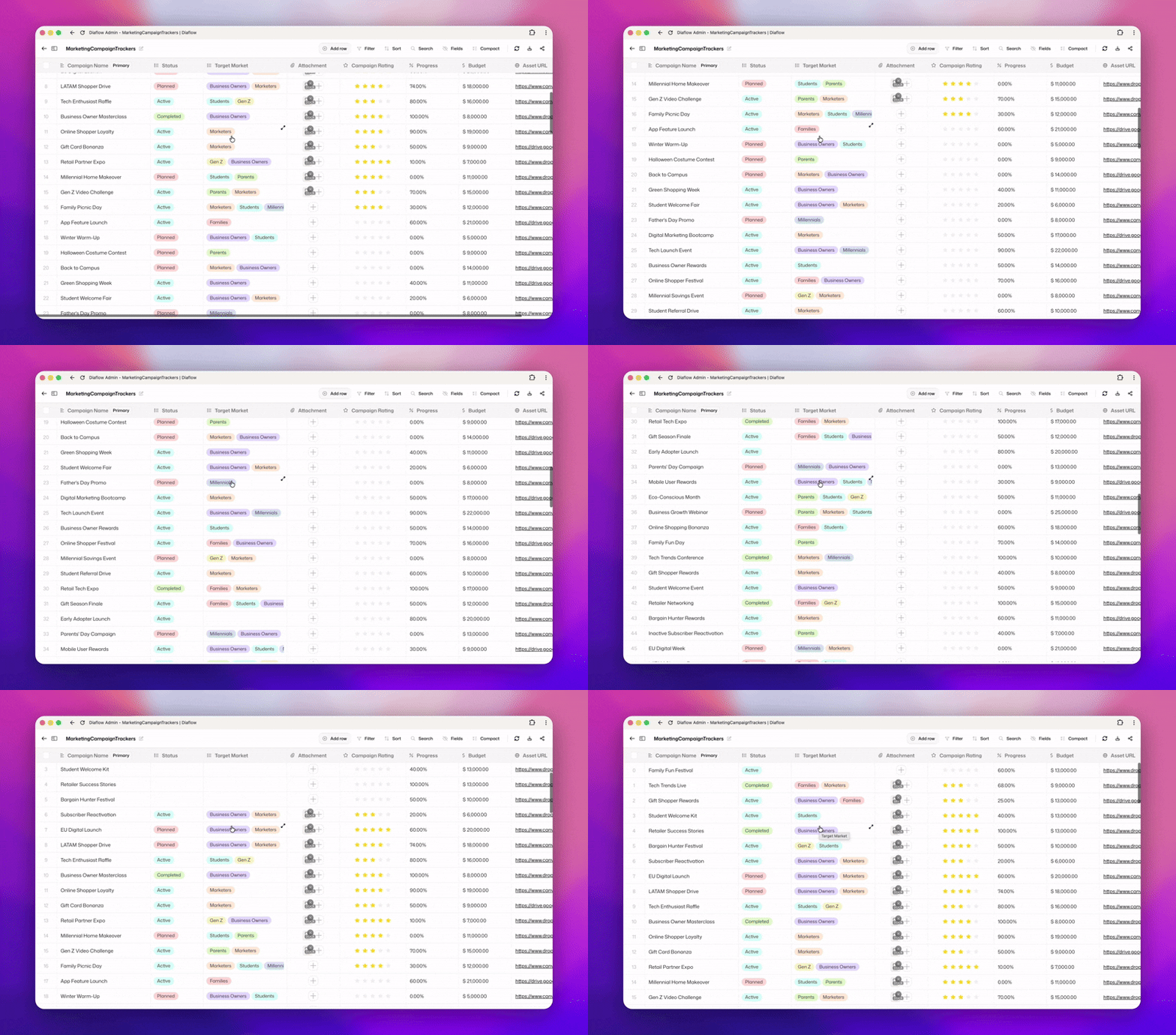
Pagination is gone. Diaflow Tables now works like every spreadsheet tool you've ever loved: just scroll down and your records keep loading. No page numbers, no "Next 50" buttons, no losing your place. Your data flows as naturally as you expect it to.
Richer field types
We've expanded what you can do with your data fields:
Color-coded selection
Percent
Currency (now support multi-currency)
URL
Attachment: now you can store files, documents, images in your Tables
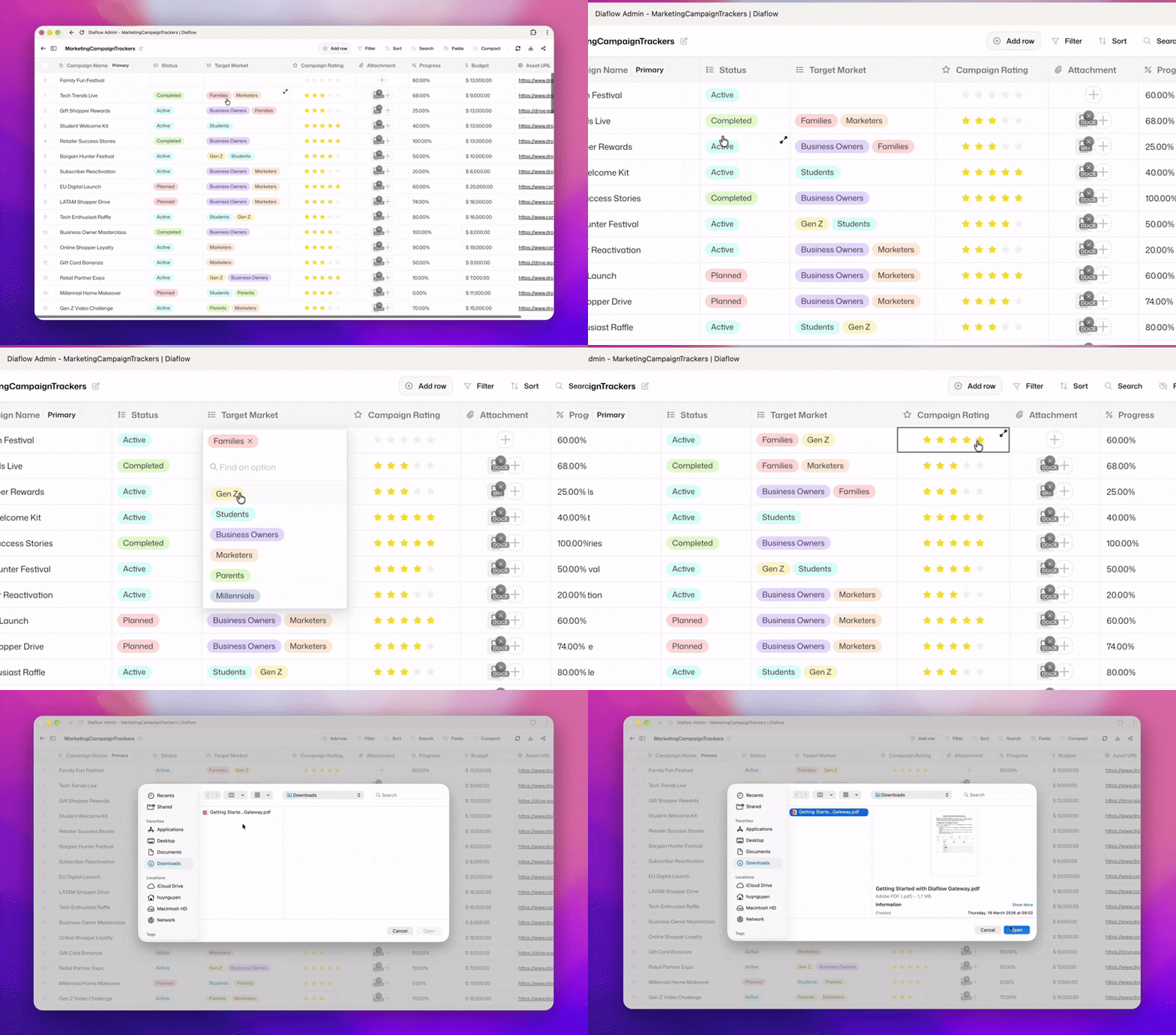
Single-select and multi-select fields now support color coding, so you can visually scan status, priority, or category at a glance. The new percent field makes it easy to track completion rates, margins, or conversions. The currency field supports multiple currencies, ideal if you work across markets. And the URL field lets you open links directly from the table, without extra clicks.
Full column and row control
You asked for spreadsheet-level column management. Now you have it. Drag to reorder columns, resize them to fit your content, and get a cleaner dock menu for row-level actions. Record management has never felt more hands-on, and the sidebar makes navigating across multiple tables faster and more organized.
Reorder columns: Drag columns into any order that makes sense for your workflow.
Resize columns: Fit content to width, no more truncated cell values.
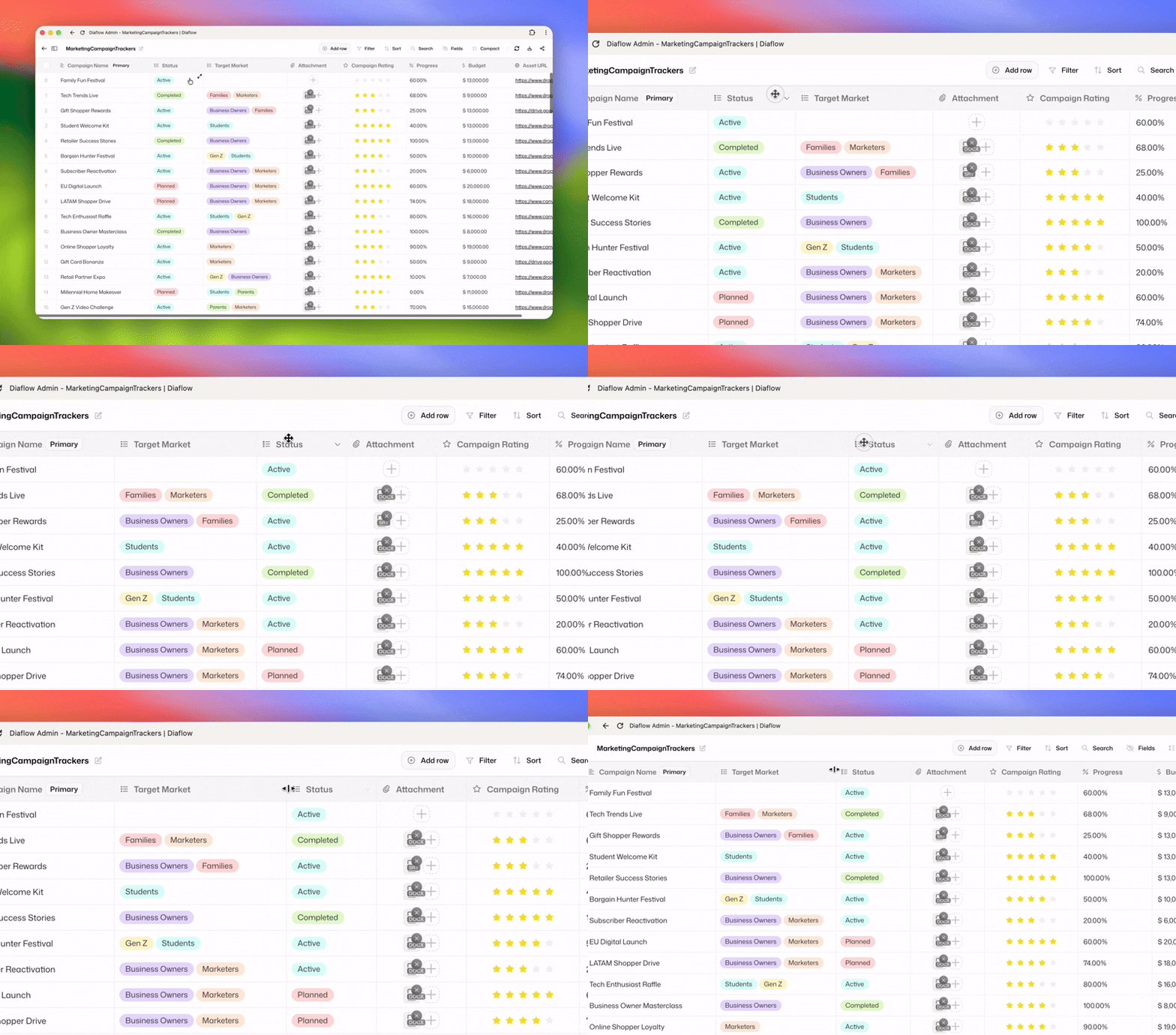
Friendlier row menu: Redesigned dock menu for faster record actions.
Table sidebar: Switch between tables quickly with a cleaner sidebar navigation.
What can you build with Diaflow Tables?
With these updates, Tables is no longer just a data viewer. It's a full-blown workspace you can shape to your team's needs.
Want to see it in action? Download our pre-formatted sample data and import it directly into your Diaflow workspace to test the new features immediately:
Marketing campaign tracker — [👉 Download Sample CSV]
Custom CRM — [👉 Download Sample CSV]
Team roster — [👉 Download Sample CSV]
Content calendar — [👉 Download Sample CSV]
Bug tracker — [👉 Download Sample CSV]
Product backlog — [👉 Download Sample CSV]
Track your campaigns end-to-end with status color codes, conversion percentages, and budget in multi-currency, all in one table. Build a lightweight CRM with URL fields for contacts and color-coded deal stages. Manage your team with roles, availability, and linked tasks. The structure is yours to define.
And because Tables lives inside Diaflow, every record can trigger a flow, feed an agent, or pipe into your broader automation, no integrations needed.
Coming next: The next version of Tables is already in the works
We're not stopping here. The next release takes Tables from a powerful data workspace to a fully autonomous one.
▶ Trigger workflows from Tables: Call any Diaflow workflow directly from a row. Send a record through an approval flow, kick off an onboarding sequence, or dispatch an AI agent, right from your table.
✨ AI cells: Turn any cell into an AI-powered field. Summarize, classify, translate, score, or generate content row by row. Your spreadsheet becomes an automation engine.
🎊 Multi-sheets: Manage multiple sheets in one table. Combining it with Function cell, you have a powerful tool to create anything you wanted.
❤️ New Diaflow Tables node: Tables node in workflow builder is gonna support much more actions and trigger to automate your database.
Try the new Tables today
Open any workspace and explore what's changed.